

How iOS 26 Solves Everyday iPhone Problems

It’s been a few months since Apple launched iOS 26, which means the tech community has had its chance to play with the new features and discover ways that this new update can simplify your life.
To truly experience the best of what iOS 26 offers, you may consider trading in your phone. Not all of the features are available on older devices, and upgrading doesn’t have to break the bank when trading in with Mazuma.
Problem 1: My iPhone feels cluttered and dull
iOS 26 has a fresh ‘Liquid Glass’ look with translucent, layered visuals. This will be the most noticeable difference for users who have just updated their phone, with an adaptive lock screen (so that your wallpaper’s main subject isn’t covered) and a subtle 3D motion effect to photos.
App icons have new styles too, with either light or dark tinted themes, or a striking clear-glass look. These design changes make your home screen feel clean, personal, and modern.
Problem 2: I waste time searching for information
iOS 26 builds Apple Intelligence (Apple’s AI system that lives in its devices) into everyday tasks. The new visual intelligence features let you search or take action on anything through tapping screenshot buttons.
Say, for example, you want to circle a word in an article, or you take a picture of a plant and want to know more about it, your phone can now look it up in Google or even ask ChatGPT about it.
This integrated-information style goes beyond photos, but into live language translation. Incoming text messages can be auto-translated, and you can reply in your language – iOS will translate it for you before sending. In FaceTime video calls you get live captions and even regular phone calls can be translated in real time.
If you speak into the phone, your voice gets translated and read out to the other person in their language (and vice versa).

Image Credit: Apple
Problem 3: My battery is unreliable
Battery life experiences a boost in this update too. There’s a new Adaptive Power mode that watches when you’re using your iPhone a lot and automatically dims brightness or slows non-essential tasks to save juice. (Note: Adaptive Power needs Apple Intelligence, so it’s only available on iPhone 15 Pro or newer).
You’ll also see charging info on the lock screen including a countdown to full charge and a colour-coded battery chart in Settings that shows which apps used the most power (orange for heavy use, blue for light), keeping your battery health in check.
Problem 4: Shortcuts and automation feel too complex
In the Shortcuts app, you’ll find new AI-powered actions: a ‘Use Model’ step lets your shortcut consult ChatGPT or other on-device AI to generate text or find info. For example, you could have Siri summarise an article or draft an email as part of a shortcut.
The new ‘Image Playground’ also brings quick AI image creation and editing to your shortcuts, perfect for content creators or designers on the go.
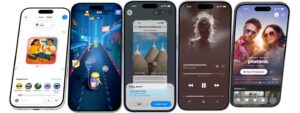
Image Credit: Apple
Problem 5: I want my daily drives and routines to become smoother
iOS 26 sprinkles in plenty of small but handy upgrades. CarPlay gets an improvement with Liquid Glass visuals and a reorganised dashboard. You’ll find a new tab bar for quick navigation and live widgets on the CarPlay screen to show things like music or map info at a glance. Maps also gains features like ‘Visited Paces’ (it remembers spots you stop at often) and smarter route suggestions based on your routines, great for commutes.
Problem 6: My photos never come out perfect
Camera and Photos get changes too. Switching between photo/video modes is now a one-swipe gesture and the Camera app can even warn you if your lens is dirty, so you never capture a blurry shot.
Is it time to upgrade?
As a heads up, not every iPhone can do all of these things. iOS 26 requires an iPhone with at least an A13 Bionic chip (iPhone 11 or newer). This means it drops support for older models like the iPhone XS/XS Max and XR.
Even among supported phones, the fanciest features need the latest hardware. For example, Apple Intelligence runs only on phones with the A17 Pro chip, meaning iPhone 15 Pro/17 Pro and above. You may consider using our ‘Sell my iPhone 13’ or ‘Sell my iPhone 14’ service as these phones won’t get every perk, and will likely be left out of future update features too.
Not only will you get cash back when upgrading, but you’ll also be helping the planet by keeping e-waste out of the dump.
Ready to trade in? Start by searching for your device.